Two-Player Portal Dash
Developer: Battle Studio
Updated: 2026-07-21
Reviews
Two-Player Portal Dash turns a simple concept into a genuinely engaging cooperative experience. The requirement for two players on one keyboard forces real-time communication that many digital games lack. Stages are well-paced, starting easy and gradually introducing more complex obstacles. The coin collection adds a light scoring element without distracting from the main goal. This is a solid choice for siblings or friends looking for a shared screen activity that promotes teamwork over competition.
Description
Shared Screen Cooperation
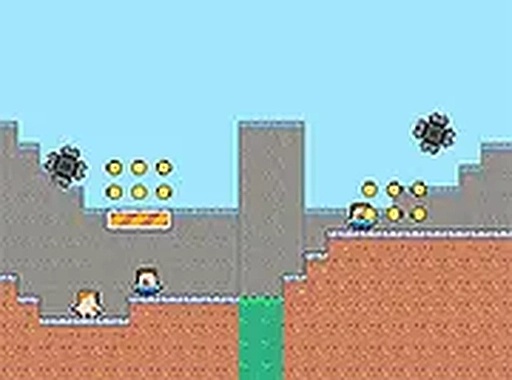
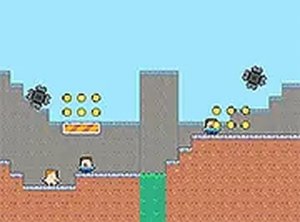
Two-Player Portal Dash is designed for two individuals sharing a single computer. Each person controls a distinct character using different keyboard keys. One character moves with the arrow keys and jumps with the spacebar. The other moves with W, A, S, D and jumps with F. This setup forces players to talk and plan together, as each character must avoid hazards individually. The shared screen keeps both players focused on the same space, making coordination natural.Obstacle Navigation
Stages contain various hazards that require precise timing. Spikes and moving obstacles appear throughout the levels. If one character is hit, the entire stage restarts. This design encourages careful movement and patience. Players must watch each other's positions and adjust their actions accordingly. Some obstacles may require one character to wait while the other passes a tight spot.Coin Collection System
Gold coins are scattered across each stage. Collecting them adds to a running score. While not required to complete a level, coins encourage players to explore paths and take calculated risks. The scoring element adds a light competitive layer without undermining the cooperative focus. Players can aim for higher scores on subsequent playthroughs.Progressive Difficulty
Early stages introduce basic movement and simple obstacles. Later levels combine multiple hazard types and require more complex coordination. The difficulty curve is gentle, allowing new players to build skills gradually. Experienced pairs will find later stages offer satisfying challenges that demand precise timing and clear communication.✅ Compatibility & Testing
• Desktop (Windows 11, macOS Ventura)
• Mobile (iPhone 14, Samsung Galaxy S23)
• Tablet (iPad Pro, Android tablet)
✅Supported browsers: Chrome, Safari, Edge, Firefox (latest versions)
❌ Not supported: Internet Explorer, older browser versions
Faq
Can Two-Player Portal Dash be played alone?
No, the game requires two players. Each character is controlled by a different person using separate keyboard keys. There is no single-player mode or AI partner. The design emphasizes real-time cooperation between two human players.
What keyboard keys are used for each player?
Player one uses the arrow keys for movement and the spacebar to jump. Player two uses the W, A, S, D keys for movement and the F key to jump. Both players must use the same keyboard on one computer.
How many levels are in Two-Player Portal Dash?
The exact number of levels is not specified, but the game includes multiple stages that increase in difficulty. Players can expect a gradual progression from simple obstacle courses to more complex challenges requiring careful coordination.
Is there a time limit for completing each stage?
No time limit is mentioned. Players can take as long as needed to plan their moves and coordinate actions. This encourages thoughtful problem-solving rather than rushed play.
Does the game work on mobile devices?
Two-Player Portal Dash is designed for web browsers on a computer. It requires a keyboard with two sets of controls, so it is not suitable for mobile phones or tablets. A standard desktop or laptop is recommended.
What happens if both characters do not reach the exit at the same time?
Both characters must reach the exit portal simultaneously to complete the level. If one arrives early, they must wait for the other. The stage cannot be finished until both are at the portal together.









Player Comments
Sign in to comment
You must be logged in before posting a review or rating.
No account? Create one
No comments yet. Be the first to comment!