Calm Picture Assembly Game
Reviews
Description
Core Activity and Setup
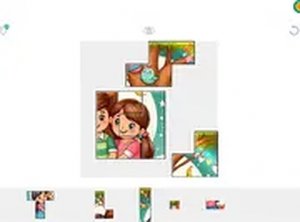
This browser-based game presents players with a collection of high-quality images that have been divided into many small segments. The challenge lies in correctly positioning each segment to reconstruct the original picture. Players begin by selecting an image from a gallery that includes a variety of pleasant scenes, such as landscapes or still-life compositions. After choosing an image, the next step involves deciding how many pieces to use, which directly influences the overall difficulty. A lower piece count makes for a quicker and simpler session, while a higher count demands more careful observation and patience. This flexibility ensures that both newcomers and those with more experience can find a suitable level of engagement.
Interaction and Controls
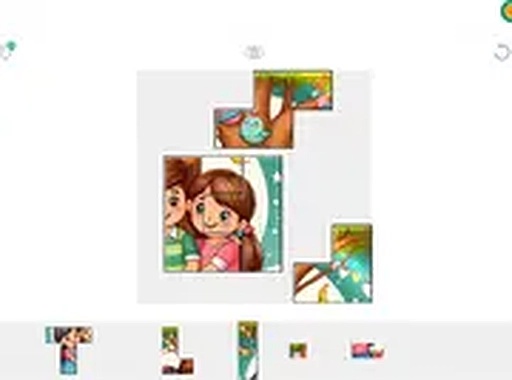
Once a puzzle is started, the pieces appear scattered across the screen. Players can click or tap on any piece and drag it to the central board area. When a piece is moved to its correct location, it locks into place with a subtle visual and audio cue, confirming the placement. The interface includes controls to zoom in for a closer look at intricate details or zoom out to see the overall progress. This zoom function is particularly useful when working with many small pieces that share similar colors or patterns. The game also automatically saves the current state, allowing players to close the browser and return later without losing any progress.
Difficulty Customization
The adjustable piece count is a central feature that sets this game apart from many similar offerings. Players can start with a small number of pieces, such as 12 or 24, to get familiar with the controls and the flow of assembly. As confidence grows, the piece count can be increased to 48, 96, or even higher for a more extended and detailed session. This gradual progression helps build pattern recognition and spatial awareness without causing frustration. The ability to change the difficulty mid-game is also available, which is helpful if a player finds the current setting too easy or too demanding.
Visual and Audio Atmosphere
The images provided are carefully selected to be visually appealing and suitable for all ages. They feature bright, clear colors and distinct shapes that make piece identification straightforward. The background of the playing area is kept neutral to minimize distractions, allowing the puzzle to remain the main focus. Sound effects are subtle and non-intrusive, with a gentle click when a piece locks into place and a soft chime when a puzzle is completed. This restrained audio design supports the calm and focused atmosphere that the game aims to provide.
Platform and Accessibility
Because the game runs entirely within a web browser, there is no need to download or install any software. This makes it accessible on a wide range of devices, including desktop computers, laptops, tablets, and smartphones. The controls are optimized for both mouse and touch input, ensuring a smooth experience regardless of the device used. The responsive layout adjusts the puzzle area to fit the screen size, so pieces remain easy to select and move even on smaller displays. This cross-platform compatibility means players can enjoy the activity at home or on the go.



Player Comments
Sign in to comment
You must be logged in before posting a review or rating.
No account? Create one
No comments yet. Be the first to comment!